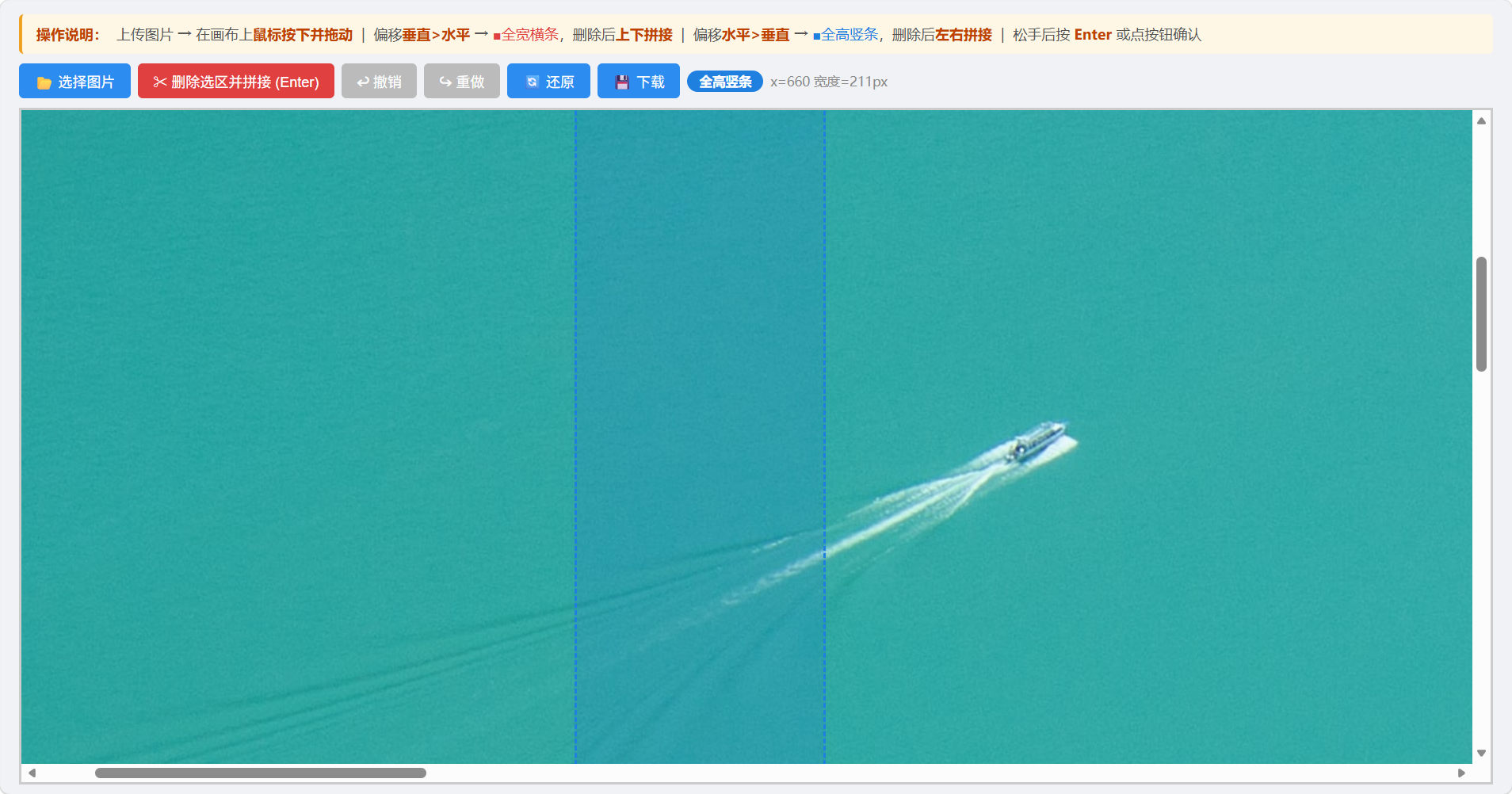
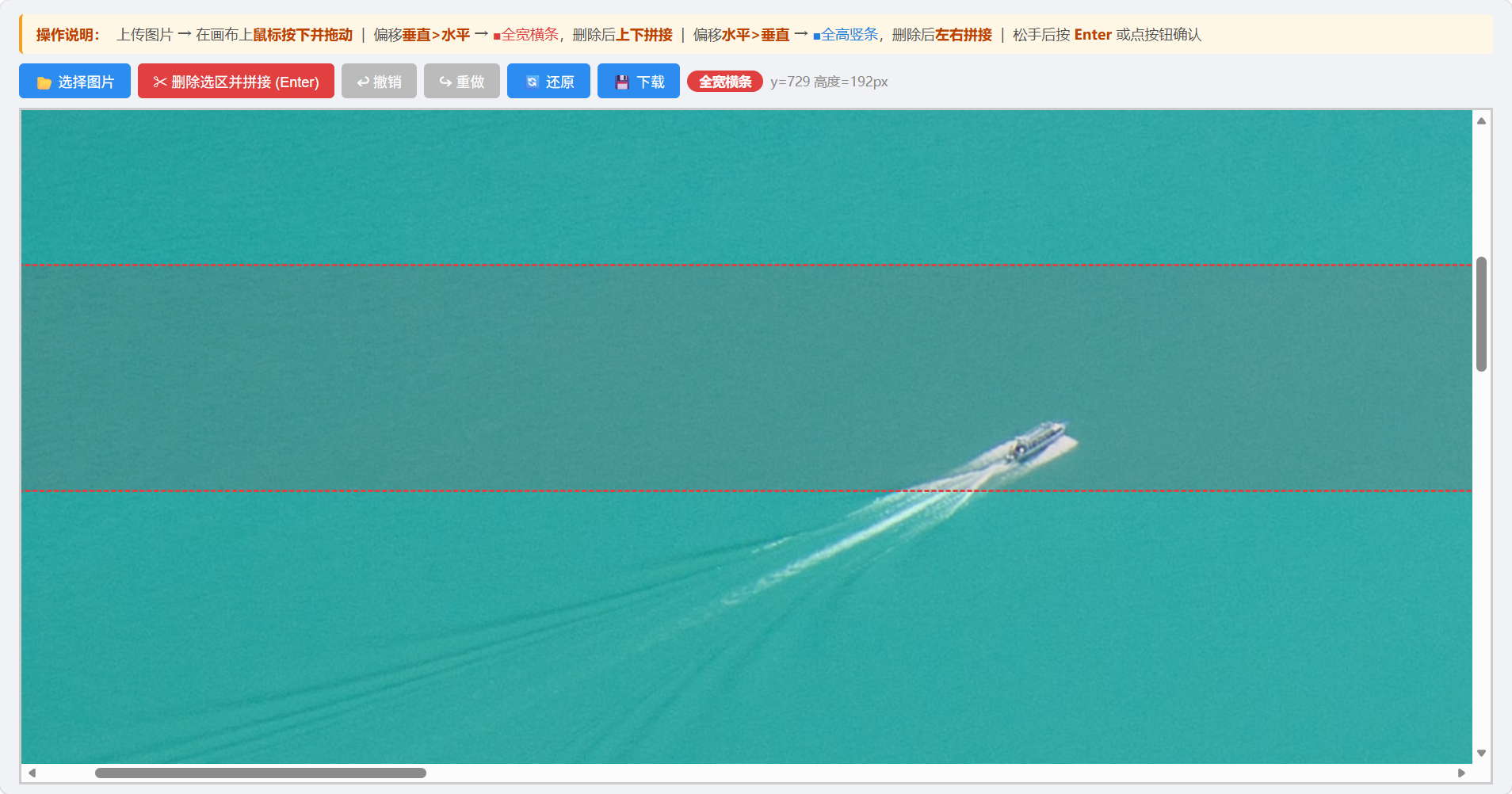
本帖最后由 joody 于 2026-5-11 10:06 编辑
使用场景:有很多产品图片,大部分平台都要求单个图片是正方形的,如果想拼成一个长图作为详情页或者方便发给客户,需要考虑删掉空白的 部分,但是一张张的处理麻烦,处理了之后,还得再保持一套文件;所以我先把用faststoneviewer 选择正方形图片按alt+t拼成长图,然后用这个html工具,切掉不要的部分,有点像在桌子上用尺子敲走硬币的游戏。最后只保留结果就行了。
11楼提醒 fsc就可以做到,亲测可行,感谢!如下

下面的内容可以沉了。


[HTML] 纯文本查看 复制代码 <!DOCTYPE html>
<html lang="zh-CN">
<head>
<meta charset="UTF-8">
<meta name="viewport" content="width=device-width, initial-scale=1.0">
<title>删除图片选区,上下自动拼接</title>
<style>
* {margin: 0; padding: 0; box-sizing: border-box;}
body {padding: 20px; font-family: Microsoft YaHei; background: #f5f5f5;}
.container {max-width: 1200px; margin: 0 auto;}
.btn-group {margin-bottom: 15px;}
button {
padding: 8px 16px;
margin-right: 10px;
border: none;
border-radius: 4px;
background: #2d8cf0;
color: #fff;
cursor: pointer;
font-size: 14px;
}
button:hover {background: #1b76d8;}
button:disabled {background: #999; cursor: not-allowed;}
.view-window {
width: 1000px;
height: 700px;
border: 2px solid #ccc;
overflow: auto;
background: #fff;
position: relative;
margin-bottom: 15px;
}
#canvasWrap {position: relative;}
#imgCanvas {display: block;}
.select-rect {
position: absolute;
border: 2px dashed red;
background: rgba(255,0,0,0.1);
pointer-events: none;
}
.tip {color: #666; margin-bottom: 10px;}
</style>
</head>
<body>
<div class="container">
<div class="tip">操作:选择图片 → 鼠标拖动框选高度(自动全屏宽度)→ 按【Enter】删除或点按钮 → 支持撤销/重做/还原</div>
<div class="btn-group">
<button id="uploadBtn">选择图片</button>
<button id="delBtn" disabled>删除选区并拼接 (Enter)</button>
<button id="undoBtn" disabled>撤销</button>
<button id="redoBtn" disabled>重做</button>
<button id="resetBtn" disabled>还原图片</button>
<button id="downloadBtn" disabled>下载最终图片</button>
<input type="file" id="fileInput" accept="image/*" style="display:none">
</div>
<div class="view-window" id="viewWindow">
<div id="canvasWrap">
<canvas id="imgCanvas"></canvas>
</div>
</div>
</div>
<script>
const fileInput = document.getElementById('fileInput');
const uploadBtn = document.getElementById('uploadBtn');
const delBtn = document.getElementById('delBtn');
const undoBtn = document.getElementById('undoBtn');
const redoBtn = document.getElementById('redoBtn');
const resetBtn = document.getElementById('resetBtn');
const downloadBtn = document.getElementById('downloadBtn');
const viewWindow = document.getElementById('viewWindow');
const canvasWrap = document.getElementById('canvasWrap');
const canvas = document.getElementById('imgCanvas');
const ctx = canvas.getContext('2d');
let originImg = null;
let currentImg = null;
let history = [];
let historyIndex = -1;
let maxHistory = 50;
let isDrawing = false;
let startY = 0;
let rectEl = null;
let selectRect = { y: 0, h: 0 };
// 清除旧选区
function clearSelection() {
if (rectEl) {
rectEl.remove();
rectEl = null;
}
selectRect = { y: 0, h: 0 };
}
// 保存历史
function saveHistory() {
const data = canvas.toDataURL('image/png');
const img = new Image();
img.src = data;
if (historyIndex < history.length - 1) {
history = history.slice(0, historyIndex + 1);
}
history.push(img);
if (history.length > maxHistory) history.shift();
historyIndex = history.length - 1;
updateBtnState();
}
// 渲染画布
function renderCanvas() {
if (!currentImg) return;
canvas.width = currentImg.width;
canvas.height = currentImg.height;
ctx.clearRect(0, 0, canvas.width, canvas.height);
ctx.drawImage(currentImg, 0, 0);
}
// 更新按钮状态
function updateBtnState() {
delBtn.disabled = !currentImg;
downloadBtn.disabled = !currentImg;
resetBtn.disabled = !originImg;
undoBtn.disabled = historyIndex <= 0;
redoBtn.disabled = historyIndex >= history.length - 1;
}
// 选择图片
uploadBtn.onclick = () => fileInput.click();
fileInput.onchange = function(e) {
const file = e.target.files[0];
if (!file) return;
const reader = new FileReader();
reader.onload = function(e) {
const img = new Image();
img.onload = function() {
originImg = img;
currentImg = img;
history = [];
historyIndex = -1;
renderCanvas();
saveHistory();
updateBtnState();
};
img.src = e.target.result;
};
reader.readAsDataURL(file);
};
// 鼠标开始框选
viewWindow.addEventListener('mousedown', (e) => {
if (!currentImg) return;
clearSelection();
const rect = canvas.getBoundingClientRect();
startY = e.clientY - rect.top;
isDrawing = true;
rectEl = document.createElement('div');
rectEl.className = 'select-rect';
canvasWrap.appendChild(rectEl);
});
// 拖动:自动全屏宽度
viewWindow.addEventListener('mousemove', (e) => {
if (!isDrawing || !rectEl) return;
const rect = canvas.getBoundingClientRect();
const endY = e.clientY - rect.top;
const imgW = currentImg.width;
const y = Math.min(startY, endY);
const h = Math.abs(endY - startY);
selectRect = { y, h };
rectEl.style.left = '0px';
rectEl.style.top = y + 'px';
rectEl.style.width = imgW + 'px';
rectEl.style.height = h + 'px';
});
viewWindow.addEventListener('mouseup', () => {
isDrawing = false;
});
// 删除 + 拼接
function deleteAndSplice() {
if (!currentImg || selectRect.h < 5) {
alert('请框选有效区域');
return;
}
const { y, h } = selectRect;
const w = currentImg.width;
const hTotal = currentImg.height;
const newCanvas = document.createElement('canvas');
newCanvas.width = w;
newCanvas.height = hTotal - h;
const nCtx = newCanvas.getContext('2d');
nCtx.drawImage(currentImg, 0, 0, w, y, 0, 0, w, y);
nCtx.drawImage(currentImg, 0, y + h, w, hTotal - y - h, 0, y, w, hTotal - y - h);
const newImg = new Image();
newImg.onload = () => {
currentImg = newImg;
renderCanvas();
saveHistory();
clearSelection();
};
newImg.src = newCanvas.toDataURL('image/png');
}
delBtn.onclick = deleteAndSplice;
// 绑定 Enter 回车键
document.addEventListener('keydown', (e) => {
if (e.key === 'Enter') {
e.preventDefault();
deleteAndSplice();
}
});
// 撤销
undoBtn.onclick = () => {
if (historyIndex <= 0) return;
historyIndex--;
currentImg = history[historyIndex];
renderCanvas();
clearSelection();
updateBtnState();
};
// 重做
redoBtn.onclick = () => {
if (historyIndex >= history.length - 1) return;
historyIndex++;
currentImg = history[historyIndex];
renderCanvas();
clearSelection();
updateBtnState();
};
// 还原图片
resetBtn.onclick = () => {
if (!originImg) return;
currentImg = originImg;
renderCanvas();
clearSelection();
updateBtnState();
};
// 下载
downloadBtn.onclick = () => {
const a = document.createElement('a');
a.download = '裁剪拼接完成.png';
a.href = canvas.toDataURL('image/png');
a.click();
};
</script>
</body>
</html>
| 
 [复制链接]
 发表于 2026-5-10 21:12
 |
发表于 2026-5-10 22:45
|
发表于 2026-5-10 22:45